
Samsung Twin Cooling Plus Problems (10 Fridge & Freezer problems + Fixes)

Do you have a Samsung Twin cooling fridge freezer? If yes, chances are you’re a big fan of the brand. Samsung is one of the leading technology companies famous for producing quality electrical appliances. This appliance’s energy-saving, temperature control, and humidity preservation capabilities are unmatched.
Despite this product’s excellent track record, however, you may encounter Samsung Twin cooling fridge freezer problems from time to time.
These are the 10 most common Samsung Twin Cooling fridge freezer problems:
- Faulty evaporator/condenser fan
- Fridge isn’t cooling properly
- Faulty door seal
- Freezer won’t defrost
- Faulty ice maker
- Problems with the compressor
- Fridge is leaking water
- Fridge is leaking refrigerant
- Freezer’s inability to freeze
- Refrigerator making an unusual noise
In this article, we’ll discuss the common problems with this Samsung appliance, including what you can do in different scenarios. Keep reading for more on this topic!
10 Common Samsung Twin Cooling Fridge Freezer Problems
If you’re experiencing problems with your Samsung Twin cooling fridge freezer, you’ll want to check out the list below. Read over these bullets and determine if any of them fit your particular circumstance. Then continue reading for a quick fix guide to get your Samsung fridge freezer back up and running smoothly in no time!
- Faulty evaporator/condenser fan
- Fridge isn’t cooling properly
- Faulty door seal
- Freezer won’t defrost
- Faulty ice maker
- Problems with the compressor
- Fridge is leaking water
- Fridge is leaking refrigerant
- Freezer’s inability to freeze
- Refrigerator making an unusual noise
Let’s take a look at each of these potential problems in detail.
1. Samsung Fridge Freezer Has Faulty Evaporator/condenser fan:
In the case of a faulty evaporator/condenser fan in your Samsung Twin Cooling fridge freezer, your appliance may have simply developed a wobbly fan. This could be caused by something as simple as the fan not being screwed tightly enough to the base. Not only will a slight wobble likely create an annoying sound, but it may also decrease the efficiency of the fan, keeping cool air from being properly dispersed in your fridge.
Another possibility is that you could have a damaged or corroded evaporator/condenser fan motor. The fan motor is a crucial component. It helps to distribute cooled air throughout the fridge and freezer. So, if your Samsung refrigerator’s evaporator fan motor gets burnt, the appliance won’t work. Because the Samsung Twin Cooling fridge freezer is such a new appliance, the likelihood of burnout or corrosion of your evaporator/condenser fan motor is unlikely.
How to fix a faulty evaporator/condenser fan
The first thing is to gain access to the fan. To remove the evaporator fan, empty the compartment and remove the shelves. Then take off the rear panel located inside the fridge panel. This way, you can get to the evaporator fan.
The condenser fan is also accessible. You can locate it behind the fridge (at the bottom area). Note also that the condenser fridge is near the unit’s compressor.
Is the fan loose and wobbly? If yes, tighten it properly and restart the appliance.
Is the fan dirty? Now that you have access to it, you can clean it thoroughly, and it will start working fine.
Is the fan motor burnt? Check the evaporator and condenser fans’ motors. If you have a burnt motor, you’ll need to install a brand new fan, as the burnt one is irreparable. This is an unlikely Samsung Twin Cooling fridge freezer problem, as many of these appliances are brand new.
Are you seeing massive ice around the fan? If yes, here’s what you have to do. First, turn off the appliance, and take off the ice tray. Now use a steamer or hand dryer to melt the ice (Avoid damaging the fan in the process).
After melting the ice, hit the reset button. Now put the ice tray back in position, and you’re good to go.
2. Fridge isn’t cooling properly
A frustrating Samsung Twin Cooling fridge freezer problem is when your fridge isn’t cooling properly. One of the most common causes, however, of this issue in Samsung products is that dust and other residue can clog the condenser coils in your fridge.
This may actually insulate your fridge, making it much more difficult to cool. If your fridge is having problems cooling down, this is the first thing to check.
How to fix a fridge that isn’t cooling properly
Since this issue could be due to a number of different factors on this list, the first thing to check is the evaporator coils. If the coils are clogged up with dust, dirt, and other residue, the first step you’ll need to take is to unplug the fridge and then take a soft brush and a microfiber cloth and clean the coils thoroughly. If the coils are covered in filth, it can actually create an insulating effect on your refrigerator, keeping it from cooling properly.
3. Faulty door seal
Does it seem like cool air is leaking out of your Samsung fridge freezer? If so, you could have a faulty door seal. This issue could be due to damage incurred after purchase, or it could be a manufacturing error. Whatever the case may be, this problem could be causing your fridge to work inefficiently.
How to fix a faulty door seal
In some cases, fixing your faulty door seal may be as simple as wiping it down with a wet cloth. Sometimes dirt and grime can collect on the door gasket, which can break the air-tight seal the fridge is supposed to maintain.
However, in some cases, there may be a hole or gash in the door gasket. In this scenario, you’ll have to order a replacement from Samsung and reinstall the gasket yourself. Again, it’s unlikely that you’ll experience this Samsung Twin Cooling fridge freezer problem, as the gasket won’t wear down over the course of only a few years.
4. Freezer won’t defrost
Samsung Twin Cooling fridge freezer combos have a built-in defrost cycle to keep the freezer from icing up. In the event that this cycle doesn’t appear to be working, you’ll want to check the condenser coils to see if they’ve also begun to ice up.
If so, you likely have a problem with the defrost heater. If you aren’t getting a reading from this all-important component, then it may require a replacement.
How to fix a freezer that won’t defrost
If your freezer isn’t defrosting, it’s likely a problem with the defrost heater. Hold a multi-meter up to the heater to determine if it’s receiving power. If not, you’ll probably have to order a replacement.
This is a bit of a technical job, but it can be done without a professional technician.
5. Faulty ice maker:
A faulty ice maker is another Samsung Twin cooling fridge freezer problem you should know about. Several factors can make this refrigerator’s ice maker defective.
- Low water pressure:
- Dirty water filter
- Failed auger motor
- Defective water inlet valve
- The refrigerator’s main board is bad
- A high mineral deposit in the water
The ice maker may also malfunction due to repetitive power outages.
How to fix a faulty ice maker
Below are the issues your ice maker may encounter, including how to fix them
- Low water pressure:
The water pressure required for the ice maker to function correctly is 20 psi. So check that the pressure is up to this level.
You can find out the water pressure using a water pressure gauge. But if you don’t have one, find out manually.
Get a cup and press the water dispenser, ensuring the cup is filled to ¾ with water.
If the water pressure is low, then check the water filter. A clogged or improperly mounted water filter can cause a drop in water pressure.
So, remove the filter, clean it properly, and reinstall it (if the filter is clogged).
- Failed auger motor:
To ascertain if the auger motor is bad, remove the ice bucket and rotate it by hand. If it turns freely, continue the testing.
This time, use a multimeter to test for continuity. If it doesn’t have or won’t rotate when the electric current is provided, the auger motor is bad, and you need to change it.
A Handy Tip: The job of the auger motor is to push the ice from the appliance to its container.
- Defective water inlet valve
This component is connected to the refrigerator and is responsible for the control of water that enters the appliance.
The inlet can become defective from wear and tear or physical pressure. But when it becomes a problem, changing it would be the way forward.
A Handy Tip: Test the water inlet valve for continuity using a multimeter. Ensure the multimeter is set at the lowest settings. Please, this setting should be for ohms of resistance.
Remember to remove the power cord from the power supply and disconnect the water supply line before removing the water inlet valve for testing.
6. Problems with the compressor
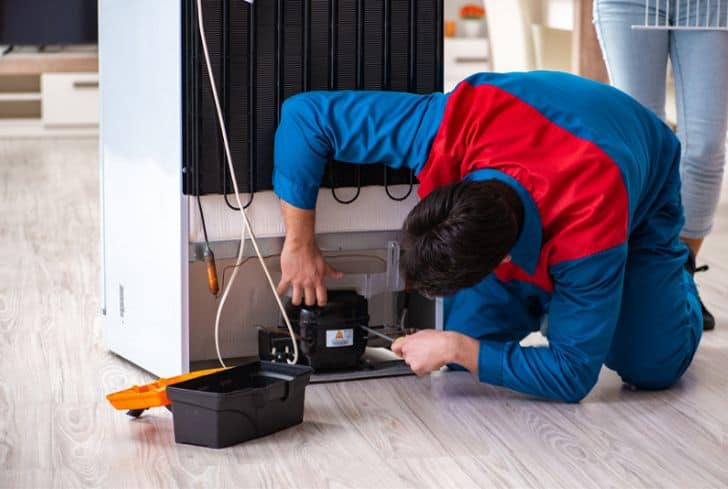
The compressor is an essential cog in your fridge’s ability to cool. If your Samsung fridge isn’t getting cold, you may have a compressor issue. Check to see if the compressor is receiving power from the inverter board.
If not, you may need to install an entirely new inverter board. This is one of the more complex Samsung Twin Cooling fridge freezer problems. It may require the skills of a licensed technician.
How to fix problems with a fridge compressor
If you’re having problems with your fridge’s compressor, there are a couple of potential causes. The most common would be a failure of the converter board. This is a small electrical control board that could short if exposed to moisture and may wear out over time.
This is a fairly complex fix, as it will likely involve soldering and other technical skills. Watch the video below to learn more about replacing or fixing the inverter control board yourself, or call a technician to do it for you!
7. Fridge is leaking water
If the fridge or freezer seems to be leaking water, you’ll want to make sure the drain tube isn’t clogged and that your freezer isn’t iced up. In both of these cases, you may see water begin to pool up on the floor beneath the appliance.
Of course, a water leak could simply be coming from a leaking liquid inside the fridge as well. If you spot a puddle, it doesn’t necessarily mean you have a serious issue, but it’s always best to check out the potential causes anyway.
How to fix a fridge that’s leaking water
Fixing a fridge’s water leak can be a simple solution depending on the cause. In some cases, the leak may only be coming from a clogged drain tube. In this case, you’ll simply need to use a drain snake to unclog the tube. This will prevent excess condensate from backing up and leaking out of different parts of your fridge.
Another possible cause of a water leak could be a hole in the water supply line that runs to your freezer’s ice maker. If this is the problem, you’ll need to obtain a new water supply line (a very affordable part that you can find at any home improvement store) and connect it. This is an easy fix and should not cost you more than $100.
8. Fridge is leaking refrigerant
Your Samsung Twin Cooling fridge freezer uses refrigerant to cool the evaporator coils. Typically this system is completely sealed, as refrigerant can be very harmful to human health.
However, occasionally you might develop a leak in this system. In some cases, the tubing (usually copper or aluminum) will develop a gash or hole through which the substance can leak. This type of issue requires special equipment and will need to be serviced by a certified Samsung technician.
How to fix a fridge that’s leaking refrigerant
This is among the most serious problems that could occur with your Samsung Twin Cooling fridge freezer combo.
If you determine your fridge is leaking refrigerant, it means there’s a hole in the coolant supply system. This cannot be fixed without replacing much of the system and then utilizing an industrial-strength air compressor and vacuum to remove the leftover refrigerant and insert the new stuff.
This is a job for a licensed technician only. Call Samsung’s support line to locate one in your area.
9. Freezer isn’t freezing
A freezer or the freezing compartment’s job is to freeze whatever item is placed in it. So, if it’s not performing this role, something is wrong with it.
Below are possible reasons or defects that can make your Samsung freezer’s freezing compartment unable to function.
- Digital glitches: Any electrical appliance can develop a technical or digital glitch. This error can also happen suddenly. But the good thing is a simple restart can clear off the digital glitch.
- Issues with the compressor: The freezing compartment will be unable to do its job whenever the compressor can’t run continuously. Freezing can only take place this way. So, if your freezer compartment cannot freeze, chances are the fan is defective or the compressor is overheating.
- Fridge freeze in demo mode: The Samsung fridge freezer is highly sophisticated and feature-rich. Thus, you need the correct settings for it to work accordingly. And note that if the appliance is set to demo mode, freezing will be a challenge. Why? The demo mode knocks off all other functions, leaving only the appliance’s lighting. So, if your fridge freezer cannot freeze, check properly. If the refrigerator is in demo mode, terminate it, and your appliance will start working correctly.
- Freezing temperature setting: Getting the temperature setting right is vital for the freezer to work accordingly. So, check the temperature setting and ensure it is correct. After setting the temperature, also remember to activate the child lock. Or, your kids may temper with the settings.
- Clogged condenser coil: If your freezer’s condenser coil were dirty, it would be impossible or challenging for the freezer to function accordingly.
- Overstocking the freezer compartment: You should always ensure you put the correct quantity of items in your Samsung fridge freezer compartment. Avoid overstocking and even understocking it. When you overstock your refrigerator, you could block the air vent, making it impossible for cold air to spread around the freezer compartment. Similarly, when you understock, expect a large amount of cold air to escape from the freezer compartment.
If you’re experiencing this Samsung Twin Cooling fridge freezer problem, make sure you check all of the items on the list above to determine the cause.
How to fix a fridge with a freezer that isn’t freezing
Several things can make it impossible for your freezer to freeze. Let’s discuss the possible reasons, including how to fix them.
10. Refrigerator making an unusual noise:
Is there an unusual noise emanating from your Samsung fridge freezer? If yes, the fan is the possible culprit.
The fan is possibly running at a very high speed or level, which isn’t good. However, the noise from the appliance indicates there’s a huge mass of ice on the fan.
- Overstocking/understocking: Always put the right amount of stuff in your Samsung fridge freezer’s compartment. Avoid overstocking or understocking your freezer.
- Demo mode: Check if the refrigerator is in demo mode. If yes, deactivate it.
- Compressor issue: If the compressor is overheating, here is what you need to do. Please turn off the appliance and unplug it. Allow it to sit idle for the rest of the day or several hours before reconnecting it.
However, if you were dealing with a faulty motor, it would be better to replace it.
How to fix a refrigerator that’s making an unusual noise
You can fix this problem in two ways. First, you can switch the appliance to demo mode, as this causes the compressor to stop working.
On the other hand, you can turn off the appliance and unplug it from the power supply. This way, it can self-thaw and stop making an unusual noise.
Warranty & Support
If you are still not satisfied with the above answers and continue to experience Samsung Twin Cooling fridge freezer problems, feel free to contact Samsung customer care.
Speak directly with a Samsung Care Pro 8 AM – 12 AM EST, 7 days a week.
Dial 1-800-SAMSUNG (726-7864)
Text “SUPPORT” to 1-800-726-7864
If you need to register your product, follow this link.
Summary of Samsung Twin Cooling fridge freezer problems
The potential Samsung fridge freezer problems are diverse. So, if your refrigerator isn’t working correctly, it’s essential that you get to the root of the problem quickly. That being said, these products are not known for constant reoccurring issues, so the probability of something like this occurring is low.
If, on the off chance, you do end up with Samsung Twin Cooling fridge freezer problems, the list below may help you out.
- Faulty evaporator/condenser fan
- Fridge isn’t cooling properly
- Faulty door seal
- Freezer won’t defrost
- Faulty ice maker
- Problems with the compressor
- Fridge is leaking water
- Fridge is leaking refrigerant
- Freezer’s inability to freeze
- Refrigerator making an unusual noise
Good luck, and remember to return to this post for all of your future Samsung Twin Cooling fridge freezer problems!
Posts related to Samsung appliances:
Let Us Know How We’re Doing!
Did this expertly prepared resource answer your question?
Do you have another question about home maintenance, home improvement projects, home appliance repair, or something else?
Get more information, send in questions and keep the discussion going by contacting the I’ll Just Fix It Myself company customer service team at at 1-800-928-1490 or Email us at [email protected]
