
Power XL Air Fryer Turn Off Beeping (Fixing that Annoying Sound)

There is almost nothing that frustrates me more than an appliance that keeps on beeping for no apparent reason. Recently, my Power XL air fryer wouldn’t stop beeping and it took me more than a few minutes to figure out what was going on.
A Power XL air fryer will keep beeping due to a glitch with the digital display, a faulty thermal fuse, a faulty fan, loose internal components, or just a simple warning that your food is done cooking. To fix a beeping Power XL air fryer, unplug it and plug it back in, use the display to turn it off, or fix the mechanical issue at fault.
Now, all of that is easier said than done, so let’s get into some details so that you can stop having to deal with an annoying beep!
Why does my Power XL air fryer keep beeping?
The reason the Power XL air fryer keeps beeping can be diverse. There’s a possibility that it has a digital glitch, powered but left idle for an extended period, blown thermal fuse, faulty fan, loose internal component, or it’s just a routine operation.
Let’s put the reasons Power XL Air Fryer may keep beeping.
- Digital Glitch
- Faulty thermal fuse
- Faulty air fryer fan
- Lose internal component
- Your food is ready
- Powered but left idle for an extended period
Now that we have a clear picture of what could be wrong when an air fryer starts beeping nonstop, let’s discuss how you can identify each problem.
A digital glitch
Digital glitches or disruption can cause your Power XL air fryer to beep nonstop. The glitch might happen due to a temporary issue or malfunctioning of certain internal components.
So, if your Power XL starts beeping out of the blue, consider digital disruption as the possible cause. These are electrical appliances and, thus, can have a digital glitch at any time. Also, don’t forget that a bug could also be responsible for this.
Faulty thermal fuse
A blown thermal fuse can also be one of the reasons your Power XL air is beeping.
The fuse serves as the protector of the appliance. In other words, the fuse is designed to detect temperature buildup and ensures harm doesn’t get to the appliance’s main control board.
So, if the thermal fuse in your air fryer has blown, thank your stars that you’re only going to get the fuse fixed and nothing else.
The fuse is cut off when the temperature rises to a level that can cause severe damage to the appliance.
If the thermal fuse were the reason your Power XL air fryer is beeping, changing it would solve the problem.
A Handy Tip: A blown thermal fuse is better than extensive damage to the air fryer. But don’t forget that the fuse blew because the appliance’s temperature rose to a dangerous level.
So, the main fault that caused the fuse to blow might be lurking around. Thus, fixing a brand-new fuse might not solve the problem.
The new fuse could still blow, or the appliance’s control board might not be lucky this time.
The best thing to do is to identify the main issue causing the appliance to overheat and address it. This way, your air fryer can operate safely.
Faulty air fryer fan
Is your Power XL air fryer beeping? Have you checked if the appliance has a digital glitch or thermal fuse problem?
If the reasons above aren’t the cause of your air fryer’s constant beeping, the fan should be your next target.
Air fryers are highly sophisticated appliances. In addition to preparing delicious and healthy meals possible, these air fryers also have a way of notifying users.
So, if your air fryer’s fan stops working, it will notify you via constant beeping. Whether the fan is wholly damaged or stopped working because of dirt and other issues, it doesn’t matter.
A Handy Tip: The fan performs a crucial function in the air fryer. It helps in the circulation of hot air, which cooks the food.
So, if the fan stops working, the air fryer won’t be able to cook your food as it should. You have to fix your Power XL air fryer fan as quickly as possible.
Loose internal component
Having loose components is not an issue you’ll often discover in the Power XL air fryer, but that doesn’t mean it cannot happen.
Several factors can make some of the components in an air fryer loose. For example, it might be due to the appliance’s handling during transportation, the manufacturer’s mistake, or you mistakenly dropped the appliance on the floor.
In most cases, you’ll hear a separate noise in addition to the beeping sound when dealing with loose internal components. Additionally, an air fryer may malfunction when some parts are loose, but not all will react this way.
So, watch out for unusual sounds from your appliance. If you hear any, there’s a chance that certain things are not tight enough in the machine.
Your food is ready
Only a few beeping sounds from the air fryer indicate a problem with the appliance. Remember that the appliance could still beep even when everything is alright.
Again, nothing will happen to your food if you leave it in the air fryer after the beeping sound indicates that the food is ready. The beeping sound reminds you that there is food in the air fryer so that you can remove it.
Powered but left idle for an extended period
Power XL air fryers beep when plugged in, turned on, and left idle for a while. Let’s say you turned the appliance on and forgot to choose a cooking option.
In this scenario, your air fryer will start beeping after five minutes. The beeping sound is to remind you to use the appliance or disconnect it if you aren’t going to use it.
In this case, your air fryer is trying to help you cut down on your electricity bill.
A Handy Tip: If you select the cooking option and start cooking, but the beeping sound won’t stop, know that something else could be wrong with your air fryer.
7 Fixes for Power XL air fryer turn off beeping
The beeping sound from your air fryer might be annoying, but it could mean trouble if you don’t address it.
Follow these troubleshooting steps when your air fryer keeps beeping and flashing.
Remove the basket
Air fryers typically have a built-in timer for you to set how long it cooks your food. When the timer goes off, your air fryer will ding or beep.
Remove the basket of food from the air fryer when your food is done cooking to stop it from beeping. Otherwise, it will continue to make noise. This is a common issue that doesn’t require concern.
Using the power button
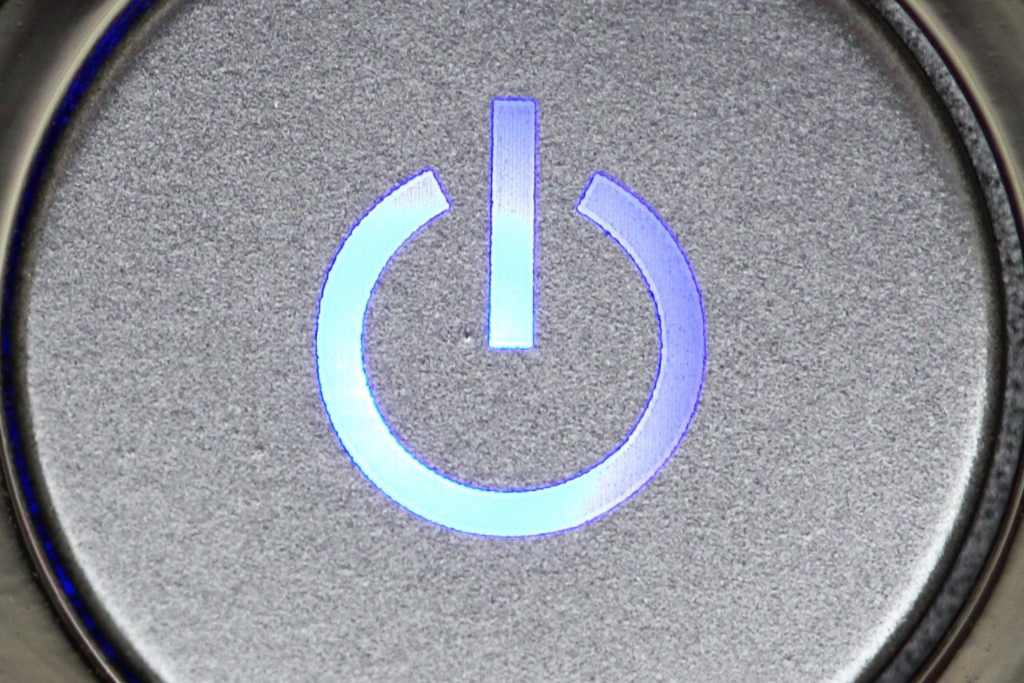
You can turn off the beeping using the power button. Press the button down for about 3-5 seconds. The appliance will shut down, and the beeping will stop.
You can press and hold the button down again to turn the appliance on.
If the appliance is beeping due to a digital glitch, it will start working correctly again.
Fix the thermal fuse
A faulty fuse can be the reason your air fryer has been beeping. You can check the fuse on the appliance for any sign of damage.
If the fuse has blown, an issue caused by overheating or temperature rise, ensure you replace it.
Replace the faulty fan to turn off beep
A faulty or damaged fan can trigger the beeping sound in your Power XL air fryer. So assess the fan in your air fryer.
You can dismantle the appliance to get to the fan. Detach the fan from the appliance and observe it for any visible damage. If you spot any sign of damage, consider changing the fan.
Note that sometimes all it takes to fix a fan is a thorough cleaning. It may no longer work appropriately because of the dirt its blades have accumulated.
A Handy Tip: You can fix the fan or get a professional to do it. Only try changing the fan if you know how to do it. You may end up causing more damage if you fix it wrongly.
Tighten the loose components
Loose components in the air fryer could be the reason it has been beeping. So if you want to stop the beeping sound, get your tools and tighten every loose component.
It is advisable to stop using the appliance when you notice any unusual sound, signaling that some of the components are not tight enough.
Utilize the dial to turn off sound
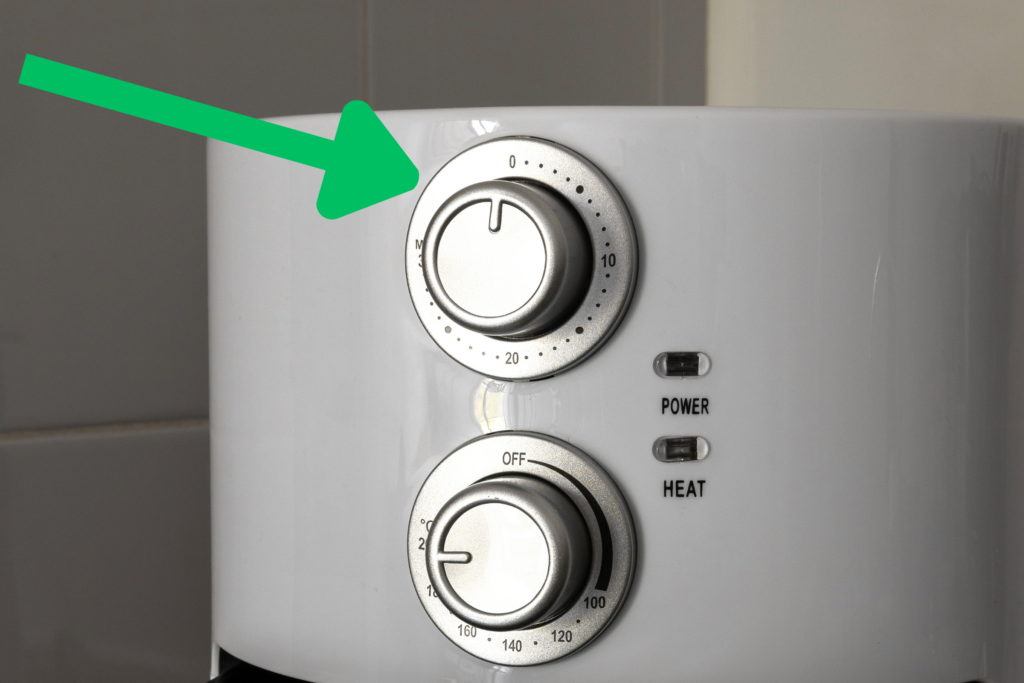
Your Power XL air fryer has a dial mode to control the appliance. And you can use the dial to turn the air fryer from cooking to off mode.
Turning the air fryer from cooking to off mode will automatically cause the beeping sound to stop. Manually turning the dial to the zero position will stop the beeping.
Unplug it and plug it back in
After you turn the air fryer off with the power button, unplug it and plug it back in to stop the beeping. Don’t unplug your air fryer before you turn it off to reduce the risk of electric shock.
Repeat the previous steps if it’s still beeping after you plug it back in.
What to do when your Power XL air fryer won’t turn on
You can take several steps to fix your Power XL fryer that won’t come on. The fault could be the power cord, a simple reset required, a fuse, or a basket problem.
Here is a breakdown of the possible reasons why your air fryer isn’t working, including how to address the problem.
1. Check the power cord
Have you checked the power cord before complaining that your Power XL air fryer won’t turn on? Sometimes, the little things we overlook are the problem.
You may have disconnected the appliance from the outlet and forgotten to reconnect it.
Check if you connected your air fryer to the wall socket if the appliance can’t turn on. Another thing you need to check is the power cord’s condition. Check if the wires are in good condition and are not exposed.
2. Unplug the appliance and wait
If your air fryer won’t turn on, don’t panic. Instead, unplug it from the wall socket and wait 5 to 10 minutes before plugging it back into it.
3. Check if the basket is inserted properly
If your air fryer refuses to turn on, check the position of the basket. Most top air fryer brands have a safety feature where the appliance will only work if the basket is in the correct position.
Another thing you need to know is this. If the basket is positioned well, you can shut the air fryer’s door.
So you should always ensure your air fryer’s basket is in the best position before closing the door.

4. Inspect the fuse
The reason your air fryer has refused to start could be the fuse. It might have blown. No appliance would start or work without the fuse.
The best thing is to test the fuse to know whether it’s faulty. You can test the fuse by putting it in another appliance to see if it would power it up.
If the appliance doesn’t power up, your fuse is the culprit. You have to change it for your air fryer to start working again.
How to reset Power XL Air Fryer
You can reset the Power XL air fryer in two different ways. And the process is quite simple. Unlike many air fryers out there, Power XL boasts a reset button.
This reset button serves as a safety feature. For example, you can reset your air fryer to low heat whenever the temperature increases.
Here are the two ways to reset your air fryer.
Power XL air fryer reset method 1
The first thing you need to do is unplug the air fryer from the electrical socket. Do not reset your air fryer while it’s plugged in. Why? The reason is to avoid getting electrocuted.
Remove the cooker’s compartment and get the food off. Remember to be careful when removing foods. You could get burnt if the cooker’s chamber is hot.
You have to exercise patience at this stage. Allow the air fryer to remain idle and unplugged for at least 10 minutes.
Your air fryer is ready for use. You can transfer the food back to the compartment and continue cooking.
Power XL air fryer reset method 2
This method is the simplest and quickest.
Press and hold the reset button down. A flashing “C” on the air fryer’s display indicates that your appliance has been reset.
You will also find the same information in the Power XL air fryer manual.
Warranty and support for Power XL air fryer
Power XL air fryers come with a warranty and offer customer support. Keep reading for customer service hours.
Contact Power XL customer support if you still have beeping sound issues.
Power XL air fryer customer service hours
Power XL air fryer customer service is available Monday through Friday from 9 a.m. to 8 p.m. ET and Saturday and Sunday from 9 a.m. to 5 p.m. ET.
For more customer service information, contact Power XL support.
To check your order status, view your invoice, or check payment information, click here.
If you want to learn more about a product or review manuals and recipes, please click here and search for answers for brands, models, or products.
Summary of Power XL air fryer turn off beeping
Your Power XL air fryer could be beeping because of a digital issue, faulty fuse or fan, loose internal component, or because you left it on too long. Either way, prolonged beeping should be addressed immediately.
Troubleshoot and fix the beeping by turning it off and on again, unplugging it, checking the power chord for damage, and ensuring the basket is inserted correctly. You can also contact customer support for additional assistance.
Let Us Know How We’re Doing!
Did this expertly prepared resource answer your question?
Do you have another question about home maintenance, home improvement projects, home appliance repair, or something else?
Get more information, send in questions and keep the discussion going by contacting the I’ll Just Fix It Myself company customer service team at at 1-800-928-1490 or Email us at [email protected]
